
Video tutorials
Video tutorials: drawing a kitchen, wardrobes and a TV wall in the planner
Four video tutorials on real projects: how you get from room measurements to a cutting list for a kitchen, a sliding wardrobe, a floor-to-ceiling wardrobe and a TV wall. What is in each video, how long it runs and what to prepare before you start.
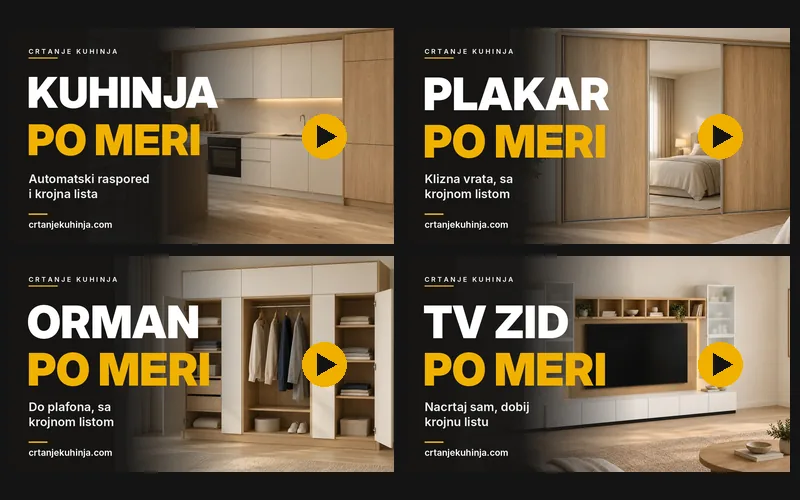
The planner is easiest to learn when you see it at work. We recorded four video tutorials - one each for a kitchen, a sliding wardrobe, a hinged wardrobe and a TV wall - and in each one we draw a real project from the first measurement to the workshop papers. No skipped steps, in the order you will work yourself.
All the videos are also on the Video tutorials page, with chapters: click the part you need and the video starts there. The narration is in Serbian, with Serbian subtitles on screen.
Made-to-measure kitchen: from room measurements to a cutting list
The longest video, 11 minutes, because a kitchen involves the most decisions. It starts with the room: a straight, L-shaped or U-shaped kitchen, the corner angle measured with a tape, the window, water, drain and power. A peninsula is added with a single tick.
You get the layout in one of two ways. Describe the kitchen you want in plain words and the planner tries dozens of layouts and suggests the best one. Or build it yourself: a tall unit with the fridge, an oven column, drawer units, a blind corner unit and wall units, with a check that nothing runs into a wall, a window or the services.
- finishes from the catalogue with the board price, worktop, handles and Blum hardware
- 3D and a photorealistic view in daylight
- a check before the cutting list: collisions, corners, services and the work triangle
- materials and an estimated price, in three material levels
- cutting list (PDF and spreadsheet), CNC files, Wintable orders, assembly instructions, an installation plan and 3D images
Before you draw, read how to measure a kitchen, and when your measurements are ready, open the kitchen planner.
Made-to-measure sliding wardrobe: from three alcove measurements to a cutting list
Three measurements are enough for a sliding wardrobe: alcove width, room height and depth. Pick one of three ready-made wardrobes - basic, standard or comfort - and adjust it. You can also import a sketch, a photo or a DXF drawing.
The interior is up to you: shelves placed with the mouse or to an exact size, a shoe rack, a trouser holder and a suitcase compartment. Dimensions show the clear size of every compartment before anything is cut.
- straight, corner or U-shaped, against a wall or with a free side
- track on the ceiling or the floor, plinth, back panel and LED lighting
- number of doors and aluminium profiles with their codes (Europrofil, Sevroll, Laguna, SCH-walter)
- cutting list, profiles to order, a list for the glazier, hardware, a file for the panel saw, a production sheet and fitting instructions
Before you draw: measuring a wardrobe. Planner: sliding wardrobes.
Floor-to-ceiling wardrobe: adjust a model and get a cutting list
A hinged-door wardrobe, wall to wall and up to the ceiling. Start from one of six ready-made wardrobes, from 90 to 270 cm, enter the room height and depth, then move, swap and add 45, 60 and 90 cm modules with a single click.
A tall wardrobe is made in two parts - a lower carcass and a top unit - because a full-height one cannot be stood up inside the room. The video also covers what to know before fitting.
- drawer system: GTV, Blum TANDEM, TANDEMBOX or LEGRABOX
- colour and handle for every door and every drawer, soft-close hinges
- cutting list, hardware, hinge drilling for CNC, a file for the panel saw, a production sheet and fitting instructions
Planner: wardrobes and sliding wardrobes.
Made-to-measure TV wall unit: draw the TV wall and get a cutting list
Enter the wall width and your TV and pick one of 50 ready-made models, grouped by wall width: up to 2 m, up to 2.5 m, about 3 m and from 4 m. The planner rearranges the whole wall to your size and tells you if something does not fit. Shelves of 18 or 36 mm are placed with the mouse, to an exact size.
- glass: clear, frosted, bronze or smoked
- Egger, Kronospan and Kastamonu finishes, LED strip, back panel in a groove or nailed on
- a section through the TV and a photorealistic view
- production sheet, cutting list, fitting instructions, CSV and a cutting file
Which measurements matter for a TV wall, before you start drawing: custom TV wall unit. Planner: TV wall units.
What to prepare before you start
- room measurements in millimetres: walls, ceiling height, windows and services
- a rough idea: where the fridge goes, how many drawers, how many shelves and how much hanging space
- an account on the site, so the project is saved and you can download the documents
Drawing, the layout, 3D and the material estimate are free; only the workshop documents are paid, as in the pricing. For wardrobes and TV walls the planner also gives you a project link to send to your carpenter - they open the same drawing with the same measurements.
Frequently asked questions
Do I have to watch the whole video?
No. Every video has chapters. On the Video tutorials page you click a chapter and the video starts from that part.
How long are the videos?
Kitchen 11:26, sliding wardrobe 6:47, wardrobe 5:44 and TV wall 5:45.
What language are the videos in?
Serbian, with Serbian subtitles on screen, so they can be followed without sound. On the Video tutorials page the player asks for English subtitles where YouTube has them.
What if I get stuck on a step?
Ask the AI designer in the planner or get in touch - advice is free.