Skip to content
Crtanje Kuhinja — KROJ

Super Planner Pro

Agree on the kitchen with your customer. Take the same project to the workshop.

Describe the measurements and requirements, review the 3D layout and prepare a quote under your workshop's name. The confirmed project continues into documents and a production work order.

From the first conversation to production

  1. 01

    Conversation and measurements

    Enter or dictate the requirements. Check site measurements, appliances and assumptions in the project.

  2. 02

    Layout and 3D

    Adjust the proposal, choose materials and review findings. The layout remains available in the regular planner.

  3. 03

    An AI image from your chosen angle

    Choose a 3D camera angle and create an AI visualization within your entitlement and quota.

  4. 04

    A quote under your name

    Your logo, coefficient and EUR, BAM or RSD currency. The customer sees their quote, not your purchasing prices.

  5. 05

    Documents from the same project

    The cutting list, drawings, CSV, DXF, WTINPUT, assembly guide and services plan follow the confirmed project and its scope.

  6. 06

    A workshop production order

    Prepare a production work order and labels. Review findings and approval of the actual construction remain part of production preparation.

An AI image is a visualization for agreeing on the appearance. Cutting and fitting measurements come from checked documents, with confirmed site measurements and construction.

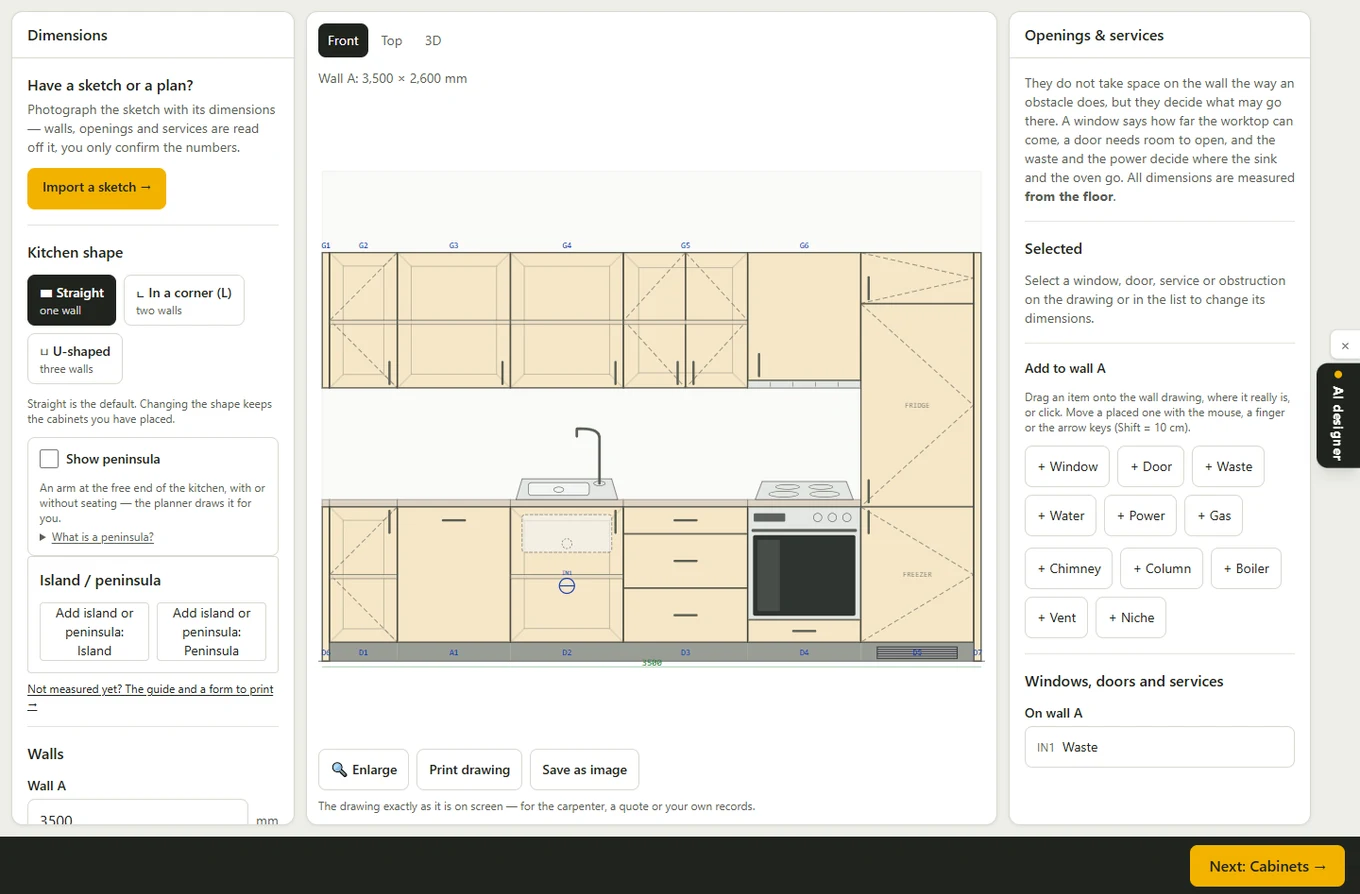
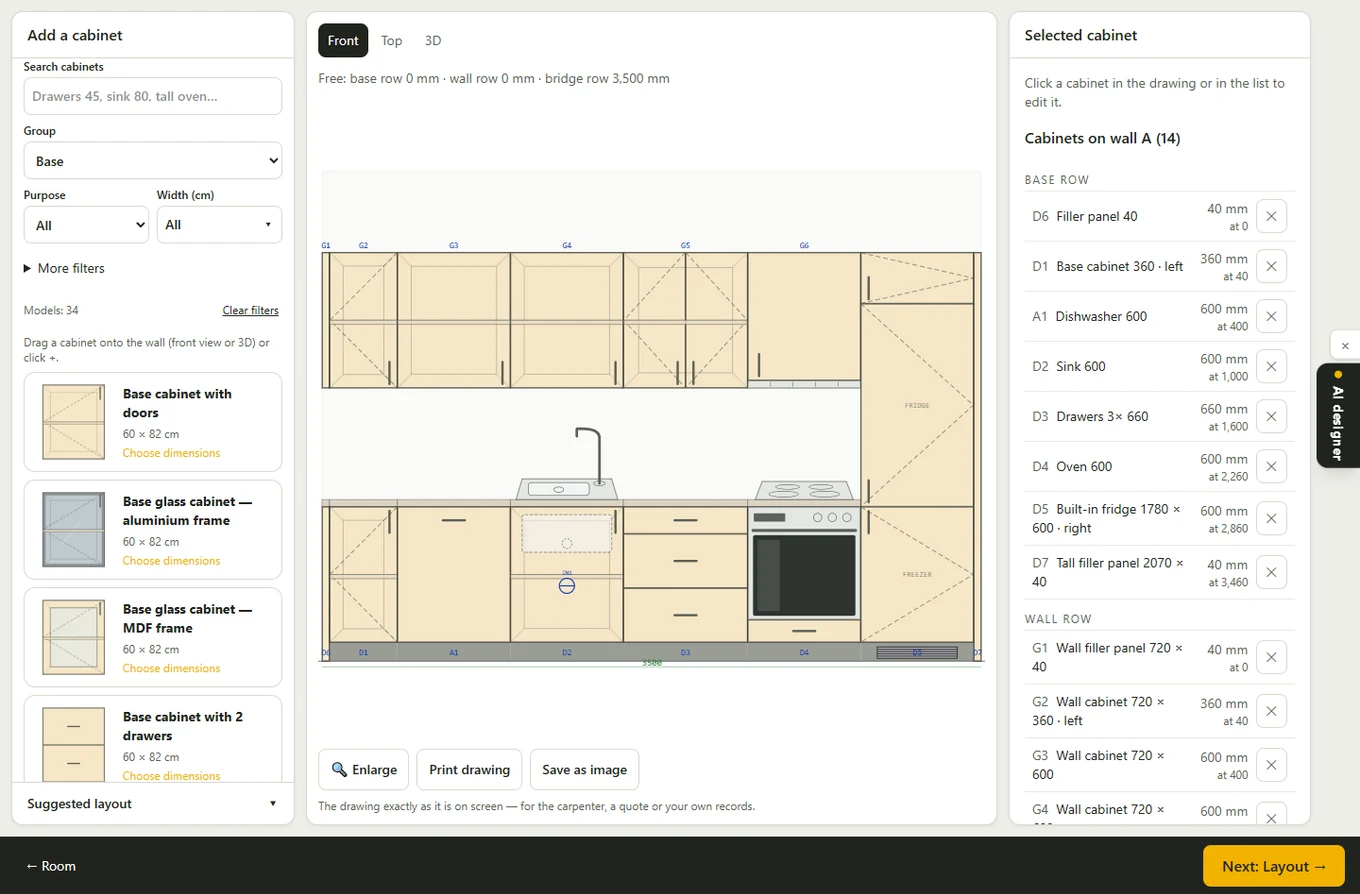
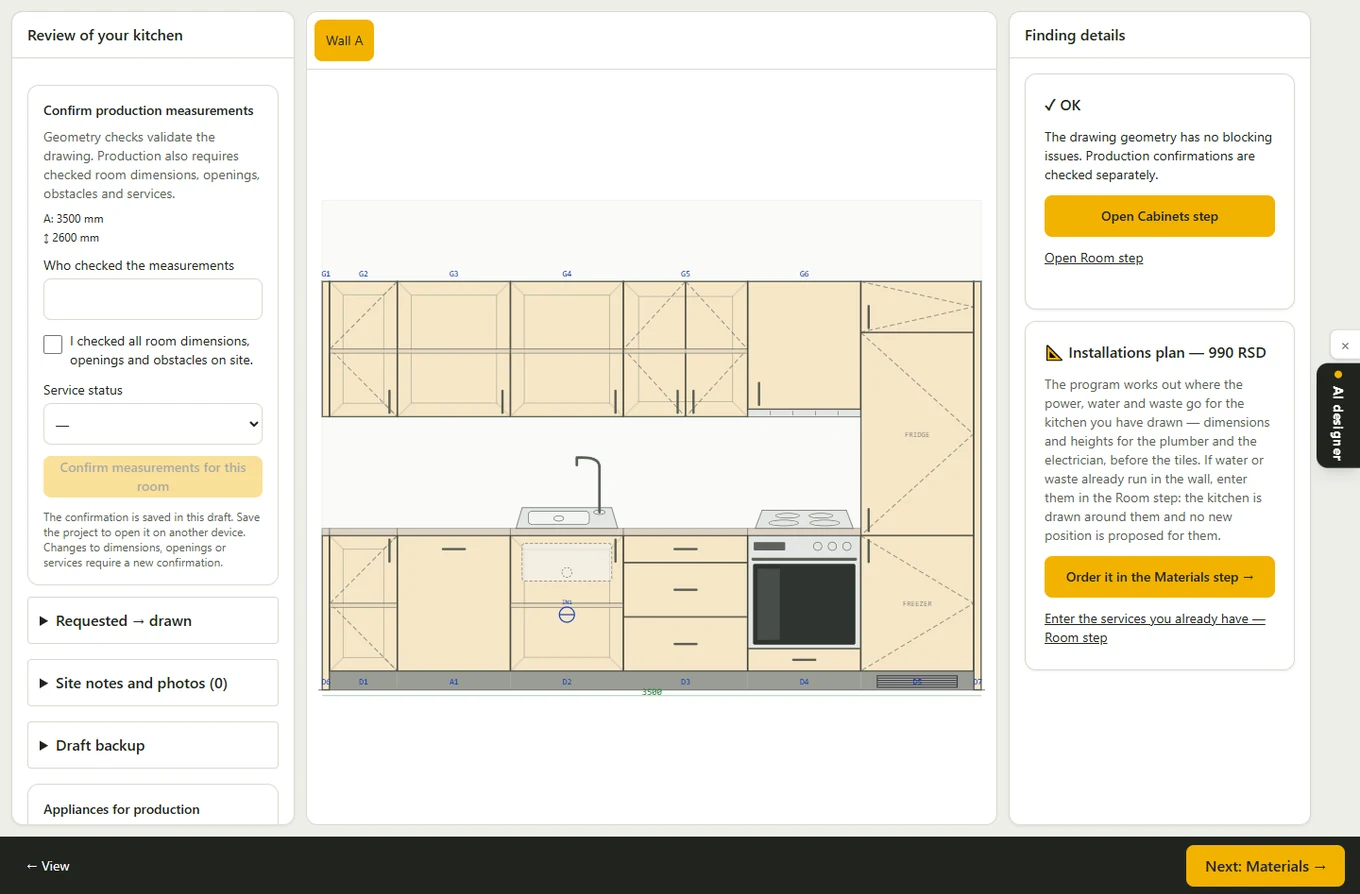
Real screens from one sample project

Screens show a sample kitchen with synthetic data in the regular planner. The complete field, quote and workshop work order flow is described above.

Room measurements and utilities
Cabinet layout
Cabinet layout
Review findings
Review findings
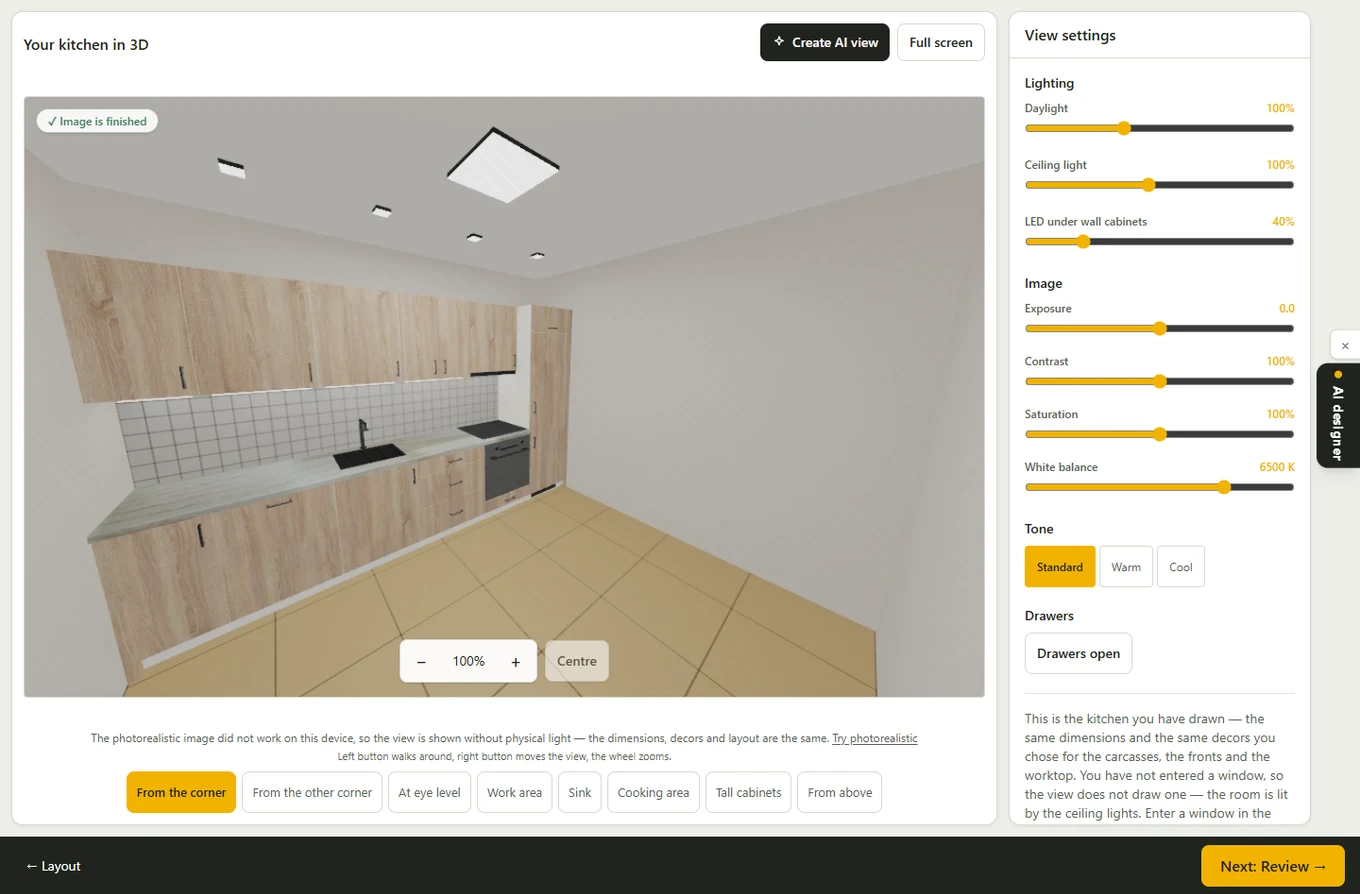
Project 3D view
Project 3D view

Your phone is the laptop's microphone

Open Super Planner Pro on your laptop, pair your phone with the QR code and dictate while the customer sees the project on a larger screen. Both devices need the same account and a network connection.

How it works for carpenters →

For your own kitchen

You can use the regular kitchen planner and 3D now. The customer guided flow in Super Planner Pro is being prepared; you can already draw your kitchen.

Customer guided flow — coming soon

Open the free planner →

For workshops

Both workshop plans offer the same features. They differ in kitchen quota and total AI images during the plan period.

Carpenter 15

5,900 din (49 €)

Up to 15 kitchens in 30 days. All documents and 3D for each kitchen. Customer quote with your logo and a PDF. On-site AI images: up to 60 during the plan period, at most 4 per kitchen.

Super Planner Pro on site at no extra charge until 31 December 2026., with an active plan. The production work order is available to accounts with the carpenter, partner or admin role.

Carpenter 30

11,900 din (99 €)

Up to 30 kitchens in 30 days. All documents and 3D for each kitchen. Customer quote with your logo and a PDF. On-site AI images: up to 120 during the plan period, at most 4 per kitchen.

Super Planner Pro on site at no extra charge until 31 December 2026., with an active plan. The production work order is available to accounts with the carpenter, partner or admin role.